https://techwirepro.com/
Learn exactly how GPT-4 handles internet access, what tools it uses, and when it can browse the web explained simply and clearly.
Millions of people use ChatGPT every single day for work, learning, and research. But one big question keeps coming up. Can ChatGPT 4 access the internet? The answer is not a simple yes or no. It depends on how you use it and what tools are turned on.
In this article, we break it all down clearly. You will learn how GPT-4 gets its information. You will also learn when it can browse the web and when it cannot.
What Is GPT-4 and How Does It Work?
GPT-4 is a large language model built by OpenAI. It learns from huge amounts of text data during training. That training data has a cutoff date. After that date, GPT-4 does not automatically know new information. Think of GPT-4 like a very smart student who studied hard until a certain date. After that date, they stopped getting new textbooks. So they know a lot, but they might miss recent news or updates.
This is why the internet access question matters so much. Users want real-time answers. They want to know today’s news, the latest prices, or current events.
Can Chat GPT 4 Access the Internet by Default?
By default, GPT-4 does not browse the internet on its own. It relies only on its training da
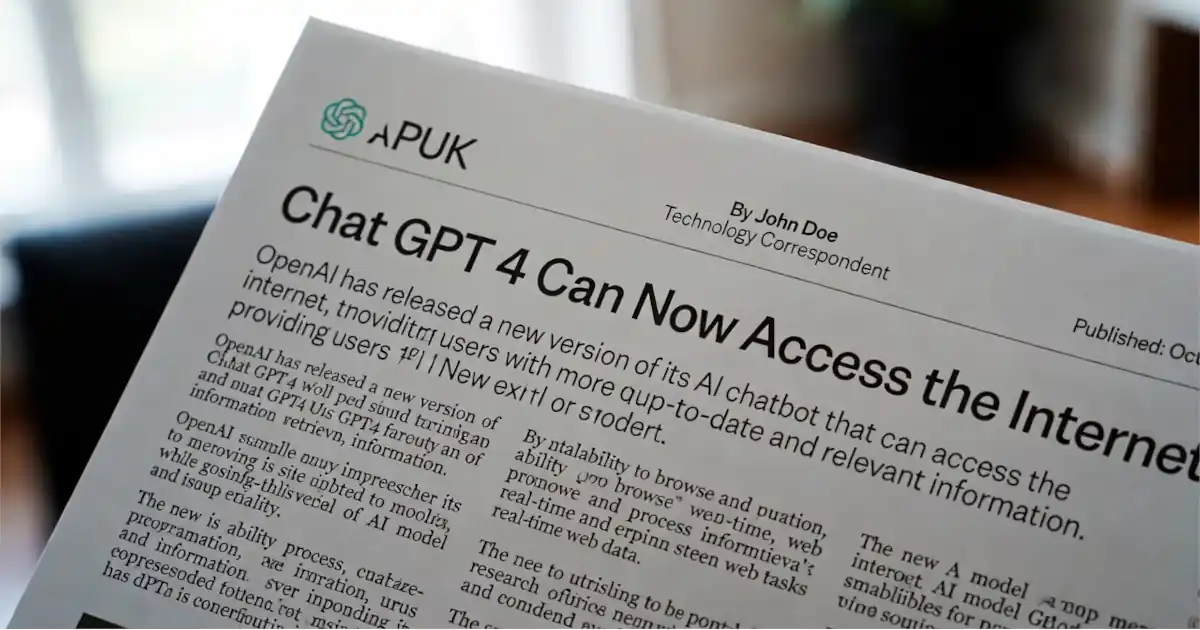
ta. This means it cannot fetch live web pages without extra tools enabled. OpenAI designed it this way for safety and reliability. A model that always browses freely could pull in bad or misleading content. So internet access is optional and controlled.
If you ask GPT-4 about something that happened last week, it may not know. It will tell you that its knowledge has a cutoff date. This is normal behavior, not a bug.
ALSO READ: How to Stay Always Updated with TXEPC Site
How Does GPT-4 Access the Internet When It Can?
OpenAI added a special browsing tool to ChatGPT. This tool uses Bing to search the web in real time. When this tool is active, GPT-4 can fetch fresh results for your question. The browsing tool works step by step. First, GPT-4 forms a search query based on your question. Then it sends that query to Bing. After that, it reads the results and gives you an answer.
This process takes a few extra seconds. But it gives you much more current and accurate information. It works well for news, weather, sports scores, and recent events.
The Role of Bing Integration
Microsoft and OpenAI work closely together. Microsoft invested heavily in OpenAI. As a result, GPT-4 uses Bing as its search engine for web browsing. You can also find GPT-4 built directly into Microsoft Edge and Bing. This version always has internet access turned on. It can answer questions about today’s news and current data.
Copilot, Microsoft’s AI assistant, also runs on GPT-4 technology. It searches the web automatically for most queries. This makes it a very powerful tool for research.
ChatGPT Free vs. ChatGPT Plus: Who Gets Internet Access?
OpenAI offers both a free and a paid version of ChatGPT. The free version uses older models like GPT-3.5. It does not have the same browsing tools as the paid version. ChatGPT Plus costs $20 per month. It gives you access to GPT-4 with browsing and other tools. You can turn browsing on when you need fresh information.
OpenAI has also been updating GPT-4o, a newer and faster version. This model handles text, images, and audio. It also supports web browsing in ChatGPT Plus.
What Can GPT-4 Do With Internet Access?
When browsing is enabled, GPT-4 becomes much more powerful. It can look up current stock prices and financial news. It can check today’s weather forecast for any city. This can also research recent scientific papers or studies. You can ask it to find the latest product releases. It can even summarize recent news articles from trusted sources.
Researchers use it to stay up to date in their field. Business users rely on it for market trends. Students use it to find current data for their assignments.
Real-Time Data vs. Stored Knowledge
There is a key difference between real-time data and stored knowledge. Stored knowledge comes from training. Real-time data comes from live web searches. For most questions, stored knowledge works perfectly fine. If you ask about history, science, writing tips, or math, you do not need a live search. GPT-4 handles these topics very well on its own.
But for time-sensitive topics, live search is a game-changer. It bridges the gap between the model’s training cutoff and today’s world.
ALSO READ: How to Download Shotscribus Software for Computer: A Complete Guide
Limitations of Internet Access in GPT-4
Even with browsing turned on, GPT-4 has some limits. It does not visit every website freely. OpenAI filters what content it can access and display. Some websites block AI crawlers from reading their content. Paywalled articles and private databases are also off-limits. GPT-4 cannot log into websites on your behalf.
It may also make mistakes when reading web results. It can misread a page or pull slightly outdated cached content. Always double-check important facts from the source. Speed is another factor. Web browsing slows down the response time. If you need a quick answer and your question does not need live data, turn browsing off.
Is GPT-4 Internet Access Always Accurate?
No AI model is 100% accurate, and GPT-4 is no exception. Web browsing improves accuracy for current topics. But GPT-4 can still make errors in how it reads and summarizes pages. The quality of search results also varies. If Bing returns low-quality pages, GPT-4 may give a weaker answer. Always verify medical, legal, or financial information with a professional.
OpenAI adds citations when GPT-4 uses web sources. You can click those links and read the original content. This transparency helps you check the facts yourself.
How to Enable Browsing in ChatGPT
Enabling web browsing in ChatGPT Plus is simple. Log in to your ChatGPT account and go to Settings. Find the Beta Features or Tools section and toggle on the browsing option. Once enabled, you will see a small globe icon in the chat window. This icon tells you that browsing is active. You can click it to turn browsing on or off for each conversation.
For the best results, tell GPT-4 clearly that you need current information. Say something like, ‘Search the web and tell me the latest news about X.’ This guides the model to use its browsing tool.
Alternatives If You Need Real-Time AI Search
GPT-4 is not the only AI with internet access. Several other tools give you real-time web search powered by AI. Knowing your options helps you pick the right tool for the job. Perplexity AI is a popular choice for live web search. It always searches the web for every answer. It provides clear citations so you can verify every claim it makes.
Google Gemini also has a strong real-time search built in. It connects directly to Google Search for the freshest results. This makes it very strong for recent news and current events. Microsoft Copilot uses GPT-4 technology with Bing integration. It offers real-time web access for free in many cases. It is a solid option if you do not have a ChatGPT Plus subscription.
Privacy and Safety With GPT-4 Internet Access
When GPT-4 browses the web, it sends search queries to Bing. This is important to know from a privacy perspective. Your questions may be part of those search queries. OpenAI has a privacy policy that explains how it handles your data. You can read it on their website. If you are working with sensitive information, think twice before enabling browsing.
On the safety side, OpenAI filters harmful or dangerous web content. GPT-4 will not fetch or repeat illegal or harmful material from websites. These guardrails are built into the system.
The Future of GPT-4 and Internet Access
OpenAI continues to improve how GPT-4 uses the internet. Future versions will likely have faster and more accurate browsing. They may also support more types of web content, like videos and live data streams. Plugins and API tools are also expanding. Developers can now build tools that let GPT-4 connect to specific databases or websites. This opens up countless possibilities for business and personal use.
The line between AI and the internet will keep blurring. Soon, asking can chat gpt 4 access the internet may feel like a very old question. Real-time AI search may simply become the standard.
Conclusion: Final Verdict on Can ChatGPT 4 Access the Internet
So, can ChatGPT 4 access the internet? Yes, but only under certain conditions. It needs the browsing tool enabled, usually through a ChatGPT Plus subscription. Without browsing enabled, GPT-4 relies only on its training data. That data has a cutoff date, so it may not know recent events. For everyday tasks, this works just fine.
For current events, real-time research, and live data, enable the browsing tool. It transforms GPT-4 from a smart but static model into a live research assistant. Understanding this difference helps you use ChatGPT much more effectively. Choose the right mode for the right task, and you will get the best results every time.
Frequently Asked Questions
About the Author