https://techwirepro.com/
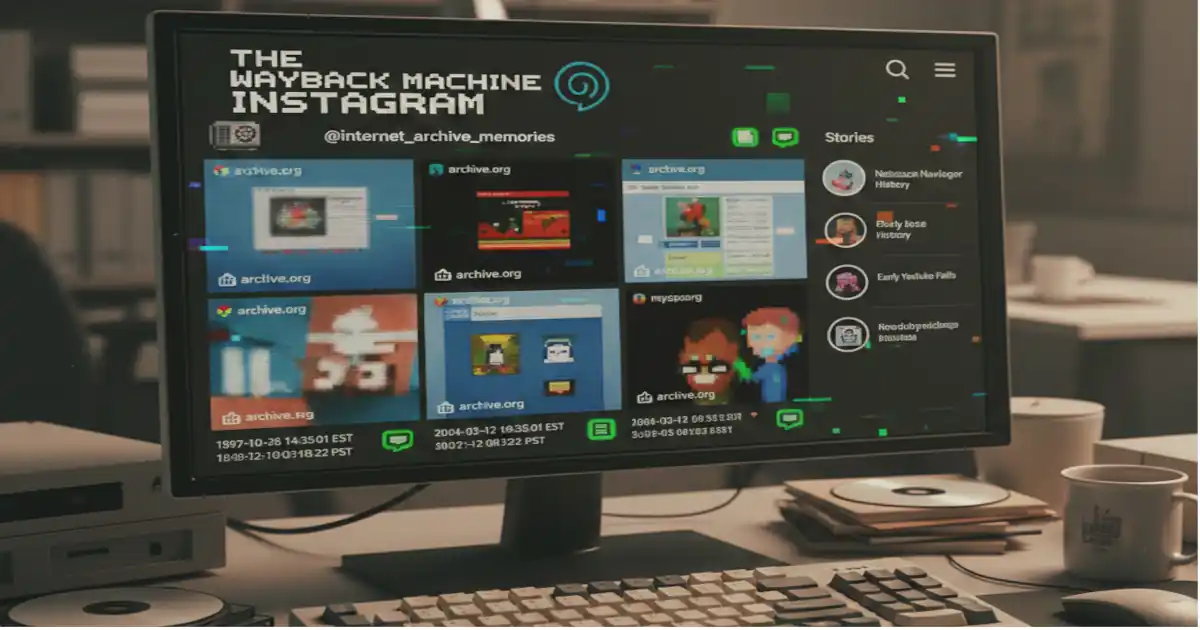
Introduction to the Wayback Machine Instagram
Instagram posts disappear quickly. Users delete content. Accounts get removed. Stories vanish after 24 hours. Many people want to save important Instagram content forever.
The wayback machine Instagram archiving presents unique challenges. This guide explains what works and what doesn’t. You’ll learn the best methods to preserve Instagram memories.
The Internet Archive created the Wayback Machine in 1996. It saves copies of websites. You can view old versions of web pages. The tool captures over 866 billion web pages.
What Is the Wayback Machine?
The Wayback Machine works like a time capsule for websites. It takes snapshots of web pages. These snapshots stay saved forever. Anyone can access them for free.
Archive.org runs this service. The organization believes all internet content deserves preservation. Their web crawlers visit millions of sites daily. They capture text, images, and page layouts.
You simply enter any website address. The calendar shows available snapshots. Click any date to see the saved version. The interface makes finding old content easy.
Why Instagram Is Hard to Archive
Instagram uses modern web technology. The platform loads content dynamically. This means posts appear after the page loads. Traditional web crawlers struggle with this design.
Instagram requires a login for most content. Private accounts block access completely. The Wayback Machine cannot log in to accounts. This limitation prevents capturing protected posts.
The robots.txt file controls web crawler access. Instagram blocks most automated archiving attempts. The platform wants to control its own content. These restrictions protect user privacy.
Stories disappear automatically after one day. Reels use special video players. Direct messages never appear publicly. These features resist traditional archiving methods.
What Gets Saved from Instagram
The wayback machine instagram captures work best with public profiles. Profile pages sometimes get archived successfully. Basic information like usernames and bios appears in snapshots.
Some post previews show up in archives. The thumbnail images may load. However, full-resolution photos rarely save properly. Video content rarely plays correctly.
The archive quality varies greatly. Successful captures depend on timing. Public accounts have better archive rates. Popular profiles get crawled more frequently.
Text captions sometimes save completely. Hashtags and mentions may appear. Comment sections usually fail to load. The interactive elements don’t function in archived versions.
How to Search Instagram Archives
Visit archive.org in your web browser. Find the search bar at the top. Enter the complete Instagram URL. The format looks like instagram.com/username.
Click the “Browse History” button. A calendar appears on screen. Blue circles mark available snapshots. Darker colors mean more captures that day.
Select any marked date. The archived page attempts to load. Be patient during this process. Complex pages take longer to display.
Most archived Instagram pages show limited content. You might see the profile picture. The bio information could appear. Individual posts rarely load completely.
Understanding Archive Limitations
The wayback machine instagram results often disappoint users. The platform’s design fights against archiving. JavaScript-heavy pages don’t snapshot well. Dynamic loading breaks the capture process.
Login walls block most content. You cannot view private account archives. Even public accounts have gaps. The system misses many updates.
Image quality suffers during archiving. High-resolution photos get compressed. Videos become broken links. Stories never get captured at all.
The archive shows what existed then. It cannot update deleted content. Once Instagram removes something, archives may be your only hope. But success rates remain low.
Better Ways to Save Instagram Content
Instagram offers built-in archiving features. The app includes a “Download Your Data” option. This tool creates a complete backup. Your photos, videos, and messages get included.
Go to Settings inside the app. Select “Security” then “Download Data”. Enter your email address. Instagram sends a download link within 48 hours.
The archive arrives as a ZIP file. It contains all your posts. Stories get saved, too. Even deleted content appears in this backup.
Use Instagram’s save feature for others’ posts. Tap the bookmark icon below any post. It goes into your saved collection. This method works for public content only.
Third-Party Archiving Tools
Several apps specialize in Instagram downloading. Instaloader runs on your computer. It saves photos and videos automatically. The tool respects Instagram’s terms better than scrapers.
4K Stogram offers a simple interface. Download entire profiles with one click. The program organizes content by date. It updates when new posts appear.
Browser extensions provide quick saves. Right-click any Instagram image. Select “Save Image As” from the menu. This works for individual posts only.
Mobile apps offer on-the-go archiving. InstaSave works on smartphones. Copy the post link from Instagram. Paste it into the app to download.
Manual Backup Methods
Screenshots remain the most reliable method. Press your device’s screenshot buttons. Capture the entire post, including captions. Create folders to organize your collection.
Screen recording saves video content. Start recording before playing the video. Capture Stories this way, too. The quality matches your screen resolution.
Cloud storage protects your archives. Upload screenshots to Google Drive. Use Dropbox for video files. These services prevent data loss.
Create a naming system for files. Include the username and date. Add keywords describing the content. This makes searching easier later.
Legal Considerations Matter
Copyright laws protect Instagram content. Users own their original photos. Archiving for personal use usually stays legal. Sharing archived content raises concerns.
Terms of Service forbid certain activities. Automated scraping violates Instagram’s rules. Mass downloading can trigger account bans. Respect the platform’s guidelines.
Privacy rights deserve consideration. Don’t archive private account content without permission. Respect deletion requests from creators. Think about consent before saving.
Fair use applies in specific situations. Research and journalism have protections. Educational purposes may qualify, too. Consult legal advice for commercial use.
Creating Your Archive Strategy
Combine multiple methods for the best results. Use the Wayback Machine Instagram for public profiles. Download your own data regularly. Screenshot important posts from others.
Set a backup schedule. Download your data monthly. Save important posts immediately. Update your archives before content disappears.
Organize everything systematically. Create folders by year and month. Label files clearly and consistently. Write notes about important context.
Store backups in multiple locations. Keep one copy on your computer. Upload another to cloud storage. Consider an external hard drive, too.
When Archives Become Important
Deleted accounts lose content forever. Users sometimes regret removing posts. Archives preserve these memories safely. Family photos deserve permanent storage.
Business accounts need content records. Marketing campaigns require documentation. Customer interactions provide valuable data. Legal disputes may need evidence.
Research projects depend on historical data. Social media studies need archived posts. Journalists track developing stories. Investigators gather digital evidence.
Personal memories hold emotional value. Wedding photos deserve preservation. Baby pictures shouldn’t disappear. Travel memories stay precious forever.
Troubleshooting Common Problems
The wayback machine Instagram pages often fail to load. Refresh the page several times. Try different archived dates instead. Some snapshots work better than others.
Missing images appear as broken links. The archive didn’t capture them originally. No fix exists for this problem. Try alternative archiving methods instead.
Private content never appears in archives. The Wayback Machine cannot access it. You need direct downloading methods. Instagram’s official tools work best.
Slow loading times frustrate users. Archive servers handle massive traffic. Peak hours cause delays. Try accessing content during off-peak times.
The Future of Instagram Archiving
Technology continues evolving rapidly. Better archiving tools emerge constantly. New methods may solve current limitations. Innovation drives progress forward.
Instagram might improve native archiving. User demand influences platform changes. Better backup features could arrive soon. Company policies shift over time.
Digital preservation grows more important. Cultural records need protection. Social media documents our era. Archives preserve history for future generations.
The wayback machine instagram functionality may improve. The Internet Archive updates regularly. New capture techniques are being developed. Success rates could increase eventually.
Conclusion
Archiving Instagram content requires multiple approaches. The wayback machine Instagram offers limited success. The platform’s design resists traditional archiving. But several alternatives work reliably.
Use Instagram’s official download feature first. Supplement with screenshots and recordings. Try third-party tools for others’ content. Combine methods for comprehensive coverage.
Start archiving important content today. Digital memories deserve permanent storage. Don’t wait until content disappears. Create your preservation strategy now.
Remember the legal and ethical guidelines. Respect copyright and privacy always. Archive responsibly and thoughtfully. Your future self will thank you.
READ ALSO: Is Internet Archive Safe to Use? A Complete Safety Guide
About the Author